Ministries and departments
Review the public pages that explain national or regional services, policy and administrative procedures.

Tityra audits official content delivery for better Agent Experience (AX). Get documented findings and practical recommendations.
See what a tested client receives from your website.
Review eligibility, dates and instructions together.
Give publishing and technical teams evidence to act on.
Government & Public Sector
When someone asks an AI assistant about a public service, its answer may depend on whether the retrieval tool can read the official page. Eligibility details added only by JavaScript may be missing from the initial response. Your team needs to know which information is available and where delivery needs attention.
Review the public pages that explain national or regional services, policy and administrative procedures.
Assess council and municipal websites covering local services, applications and public notices.
Examine programme information, public resources and guidance published by your institution.
Give IT, web development and content teams a shared view of issues in official information delivery.
What we review
Different retrieval tools can receive or interpret a page differently. We assess the agreed pages and checks, documenting observed behaviour and the evidence behind each finding rather than assuming every AI system works in the same way.
Compare the initial HTML with the rendered page. Look for service instructions, eligibility details or deadlines that appear only after JavaScript runs or an interaction takes place.
Review links, page metadata and structured data within the agreed checks. Identify missing or inconsistent signals that make official resources harder to discover or describe.
Examine headings, content boundaries, lists, tables and links. Document markup and accessibility issues that can separate an instruction from the information needed to understand it.
Look for the responsible institution, relevant dates, eligibility conditions and links to supporting guidance. Flag missing or unclear context without interpreting the law or validating policy.
Where AX fits
These are examples of how an agreed assessment can support public-sector publishing. Choose the services, page types and websites relevant to your institution.
Check whether a client can retrieve the eligibility requirements, application steps and required documents published for a service.
Investigate technical barriers to retrieving published guidance, including unclear document relationships, dates and links to the official source.
Examine how programme details, funding criteria, deadlines and updates are delivered. Keep a closing date connected to the programme it describes.
Agree a sample across separately authorised websites. Use the findings to distinguish a shared publishing-template issue from a correction needed on an individual page.
Inside the report
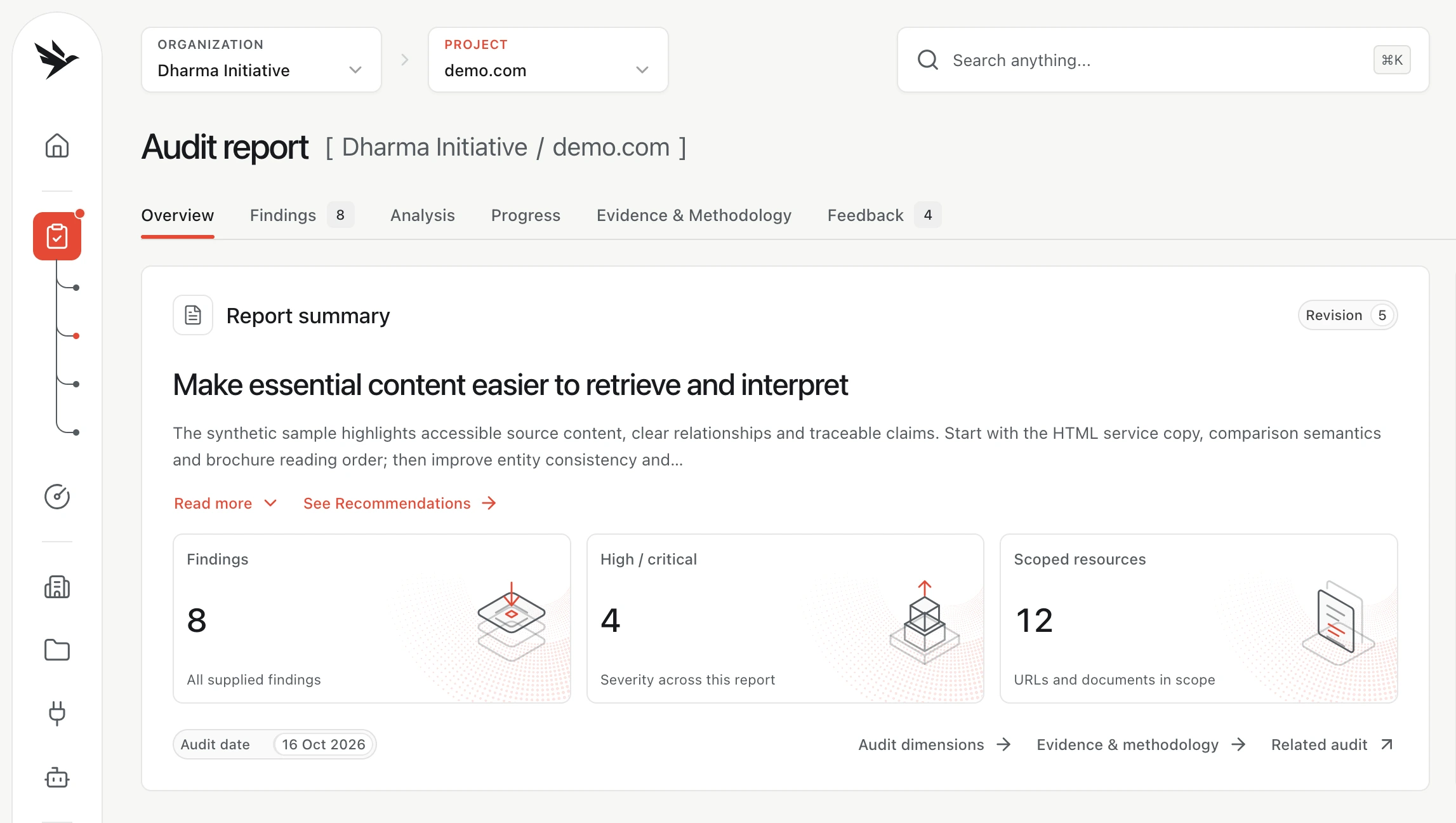
Review the affected pages, supporting evidence and recommended changes together. Use the report to prioritise work with the people responsible for the content and the website.
Read the audit methodologySee where an issue was found, its severity and the content included in the assessment.
Review what was received or displayed under the recorded conditions. Distinguish the observed result from a possible effect on another retrieval tool.
Connect each finding to a content, template or delivery change your team can investigate.
Keep the original evidence available when reviewing a change. Request a new audit when you need a subsequent assessment of the website.
Keep the work connected
Give each institution its own organisation and each website its own project. Colleagues use their own accounts, with access governed by their membership and role in the relevant workspace.
Explore your workspaceA designated colleague signs up and creates an organisation for the ministry, agency or institution. One account can manage multiple organisations, with a separate membership and role in each.
A member with project-creation permission creates a project for each website within the selected organisation. Each project has its own audit requests, subject to website authority, scope and any required credit approval.
When a report is released, authorised colleagues can review findings, evidence and recommendations in the workspace. Record remediation progress and request a new audit after changes when appropriate.
Weekly monitoring automates In-Depth Audits for enabled projects on every workspace plan. Each run uses organisation credits against your approved page budget, up to 100 pages. Pause or resume projects individually.
Weekly reports are delivered after the required checks and credit settlement. Subscription fees and audit credits are separate; Expert Review needs its own approved scope and credit budget.
Set up monitoring
Free workspace
Initial Audit: Free
Up to 10 pages
per month, excluding VAT
5 In-Depth Audits / month
Up to 100 pages per audit
per month, excluding VAT
20 In-Depth Audits / month
Up to 100 pages per audit
Choose an agreed sample of public pages, such as a service description, its eligibility guidance and application instructions. Create an account to request an audit or contact our team to discuss the scope. The person requesting it must be authorised to have the website assessed, and we confirm the scope before work begins.
Tityra can identify and document problems in the content delivered by your website. It cannot control which sources a third-party AI system retrieves or how it uses them, so the audit cannot guarantee accurate answers, citations or search visibility.
No. We review accessibility signals and other agreed content checks, with evidence and practical recommendations. This is not a full accessibility conformance assessment, a legal review, a security assessment or government certification.
Yes. An account can belong to multiple organisations, and each organisation can contain separate website projects within its plan limits. Access depends on the membership and permissions in each organisation and project. Membership of one institution does not give access to another.
Start with public information you are authorised to have reviewed. Contact us before proposing a restricted resource so we can agree what can be assessed. Do not submit passwords, private citizen records or other confidential information with an enquiry.
Record remediation progress alongside the finding and keep the original evidence available for comparison. You can request a new audit of the relevant website when a subsequent assessment is needed; the original report does not automatically verify a fix.
By clicking “Accept all cookies”, you agree to the storing of optional analytics cookies on your device to help us understand site usage and improve our website. You may click the customise button to choose which optional cookies you would like to allow.
We save your cookie choice in this browser for six months, so you do not have to choose on every visit. This storage is always on.
tityra_analytics_consent_v1Remembers whether you accepted or rejected analytics. Your choice is valid for 180 days (six months), after which we ask again. The stored record remains until it is replaced or you clear your browser storage.
tityra_analytics_consent_v1_refusalKeeps analytics off if your browser cannot save a rejection in local storage. This fallback is only used when needed and is cleared when a subsequent choice is successfully saved.
Google Analytics helps us understand page visits, content engagement, interest in audit packages and account signup link clicks. It only loads after you accept. Advertising features are disabled.
_gaDistinguishes visitors to help us understand how the website is used. Set only after you accept analytics; advertising features are disabled.
_ga_*Maintains analytics session information, such as visits and interactions with the website. Set only after you accept analytics. The asterisk represents the identifier in the cookie name.
You control whether optional analytics runs on this website. We remember your choice for six months, and you can change it at any time using Cookie preferences in the footer.
Rejecting or withdrawing consent stops analytics and removes the Google Analytics cookies this website can access.
The details list the name, provider, purpose, type and storage duration of each entry. Contact details and private account information are not included in website analytics.
Counts describe the entries listed, including the fallback and cookie name pattern, rather than cookies currently stored on your device.
Read our cookie information